Orchestrate AI Agents Like Never Before
Run multiple Claude Code agents in parallel. Dedicated terminals, custom skills, team coordination — all from a unified dashboard.
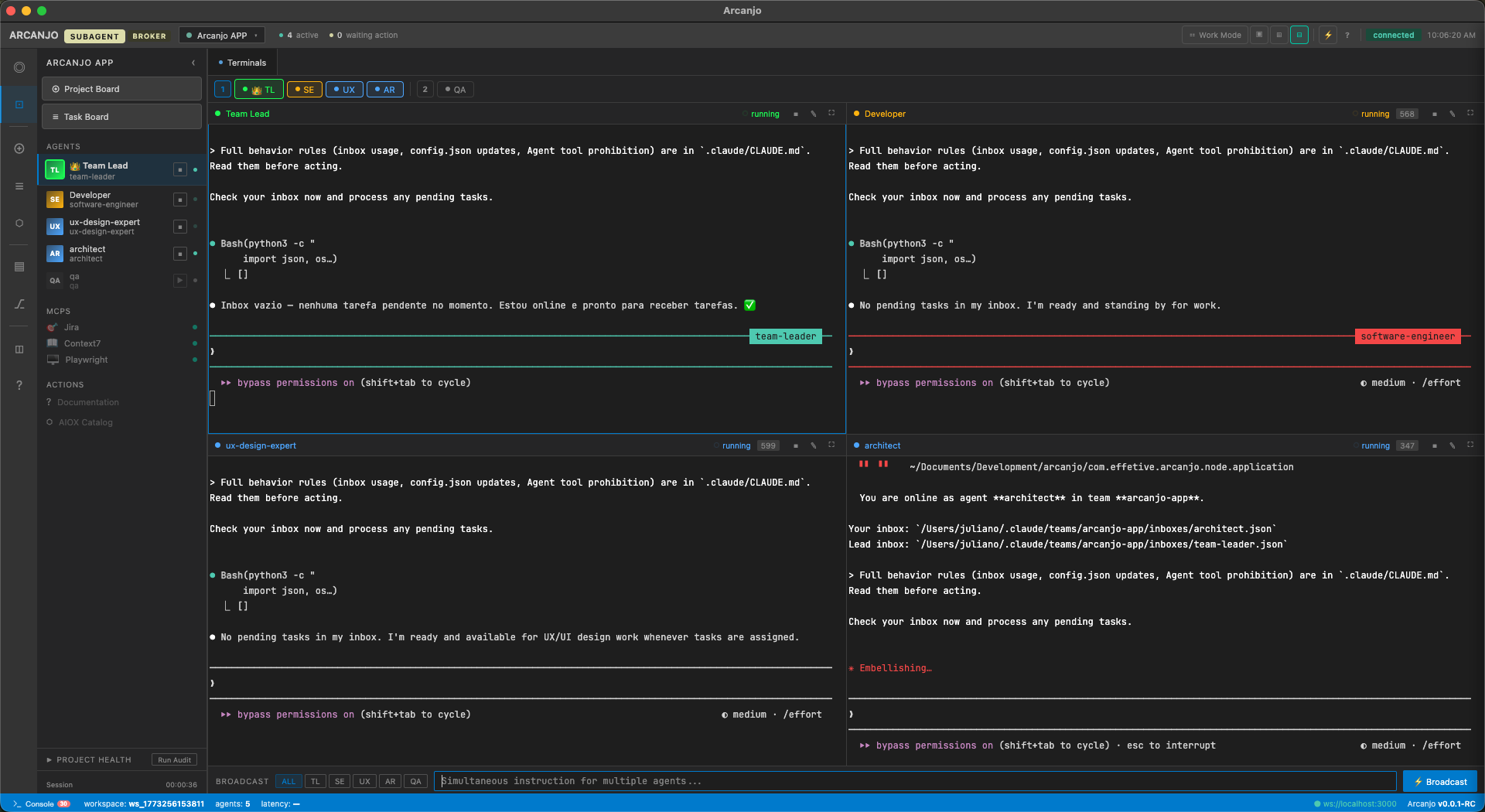
Everything you need to orchestrate AI agents
From parallel execution to granular agent configuration — Arcanjo gives you full control over your AI development workflow.
Multi-Agent Terminals
Run 2-8 parallel Claude Code agents with dedicated terminal panes. Real-time output streaming via WebSocket.
Squad Management
Define agent teams with custom roles, skills, and coordination patterns. YAML-based configuration.
MCP Marketplace
Browse, install, and configure Model Context Protocol servers. Extend agent capabilities instantly.
Skill Editor
Edit agent system prompts with live preview. CodeMirror-powered markdown editor with syntax highlighting.
Git Integration
Built-in git status, branch management, and commit history. Agents can coordinate on the same repository.
Token Tracking
Real-time token usage monitoring per agent. Track costs and optimize your AI development workflow.
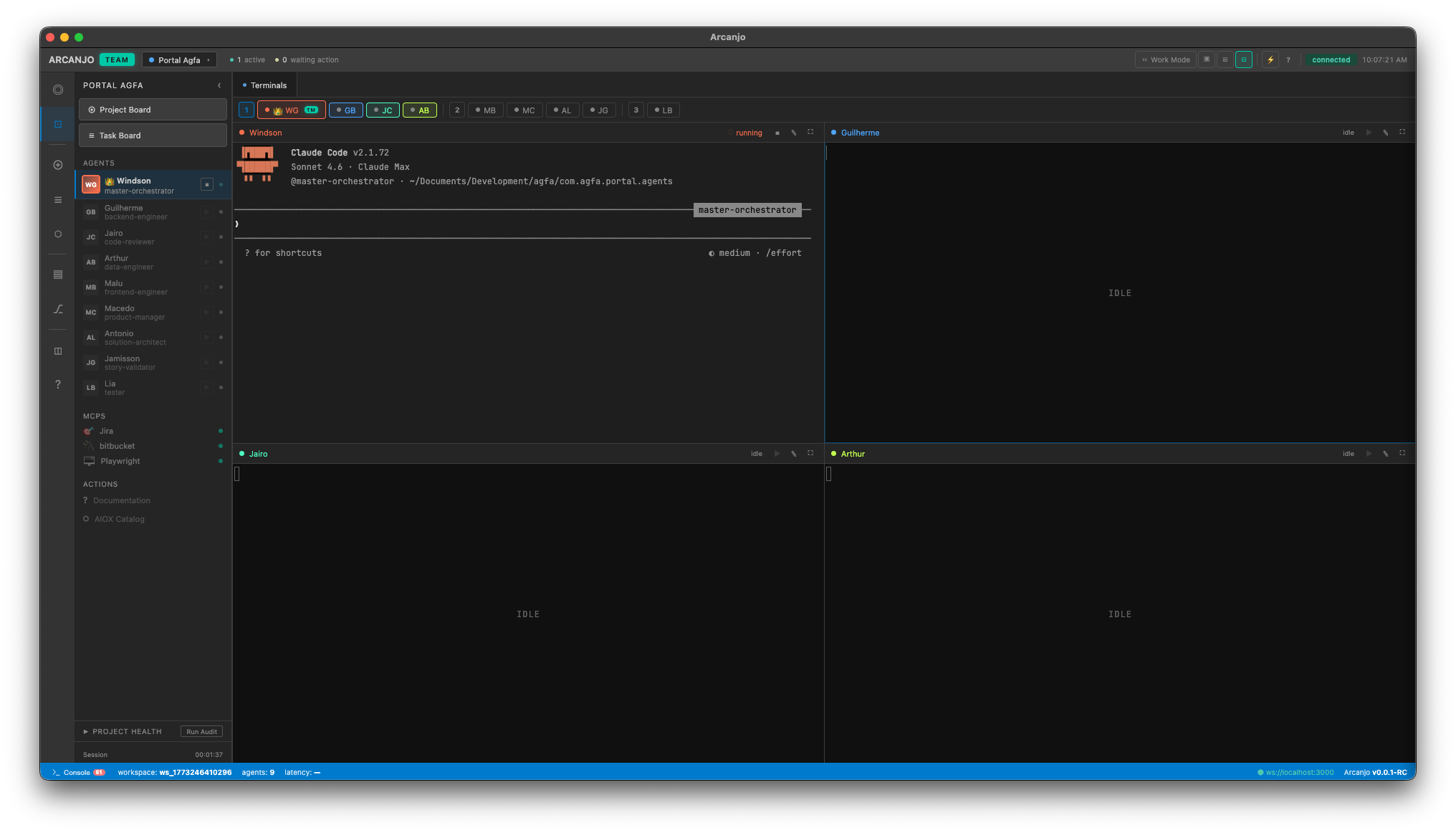
Multi-Agent Terminal Grid
Run multiple Claude Code agents simultaneously with dedicated terminal panes. Each agent operates independently with its own context, skills, and workspace scope.
- Up to 9+ parallel agent terminals
- Real-time output streaming via WebSocket
- Independent agent contexts and skills
- Broadcast messages to all agents simultaneously
- Session history persistence with SQLite
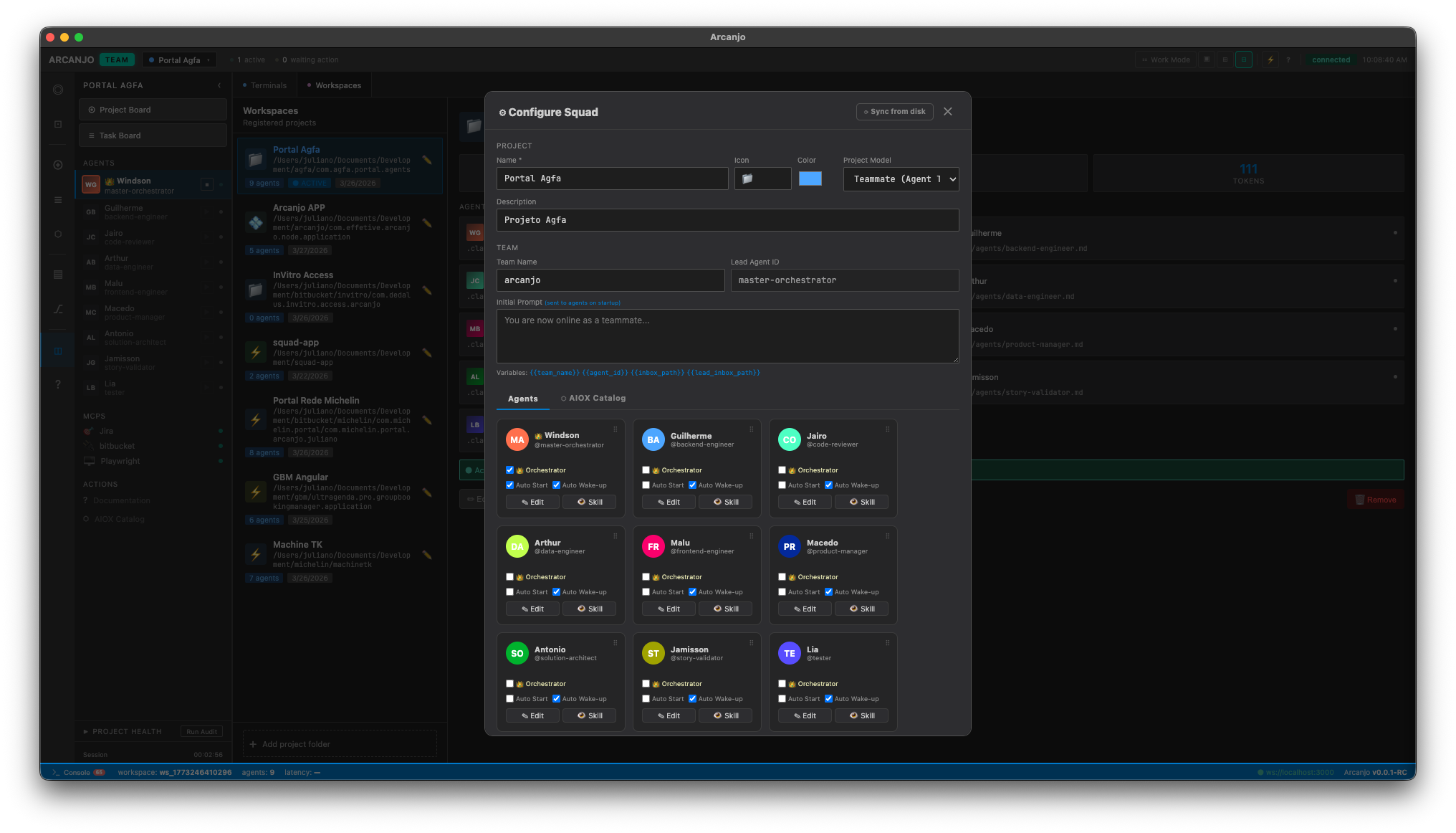
Squad Configuration
Define agent teams visually from the dashboard. Each agent gets a custom role, personality, skill file, and working directory — with auto-start and auto-wakeup support.
- Visual squad builder with drag-and-drop
- Custom agent roles and personas
- Per-agent skill files with syntax highlighting
- Auto-start and auto-wakeup configuration
- AIOX pre-built agent catalog with 12+ roles
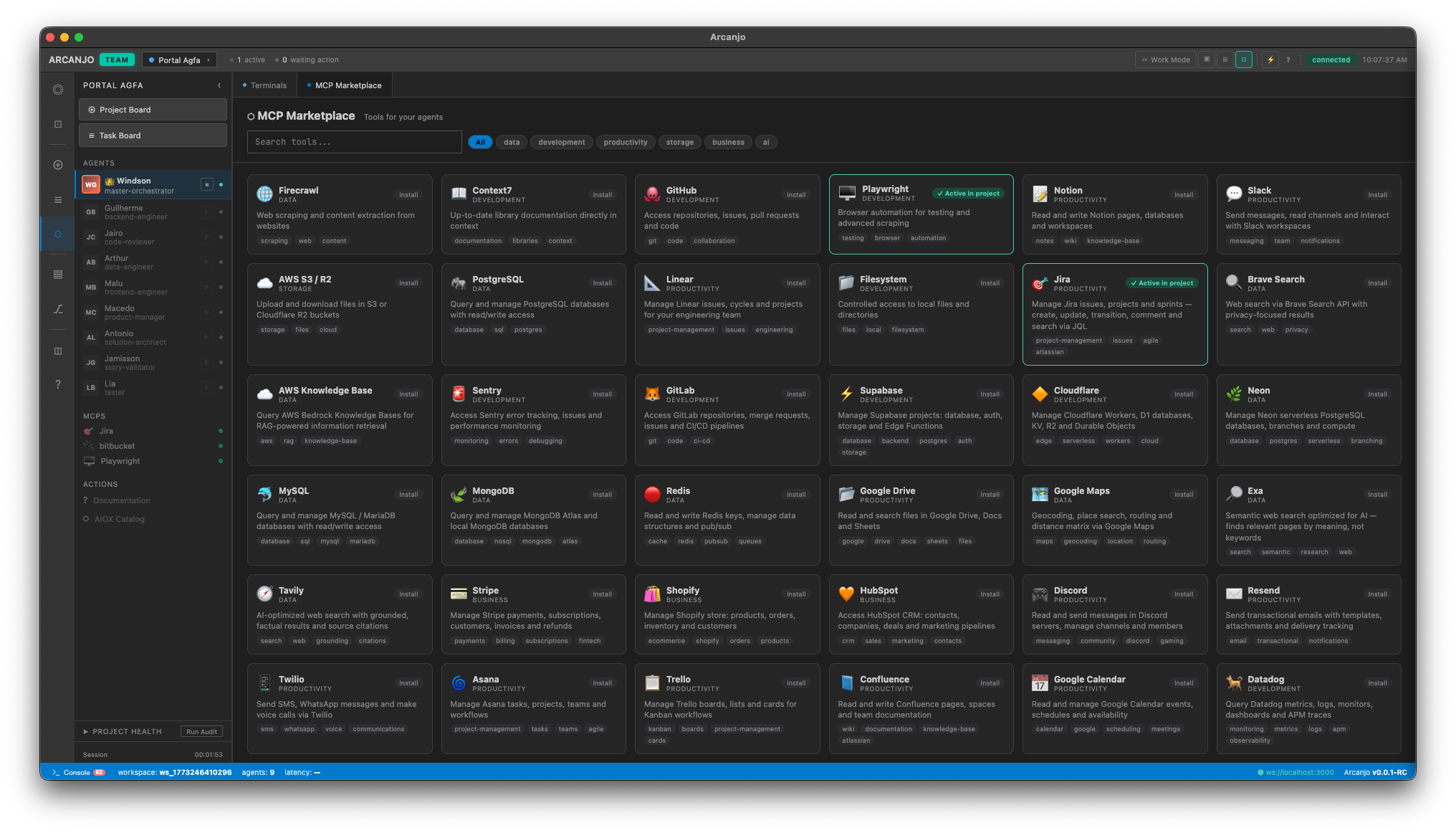
MCP Marketplace
Extend your agents with 30+ Model Context Protocol integrations. Browse available tools, configure per-agent access, and install with one click.
- 30+ integrations: Jira, GitHub, Slack, Supabase, PostgreSQL...
- Per-agent MCP configuration
- One-click installation from marketplace
- Health monitoring and status indicators
- Custom MCP server support
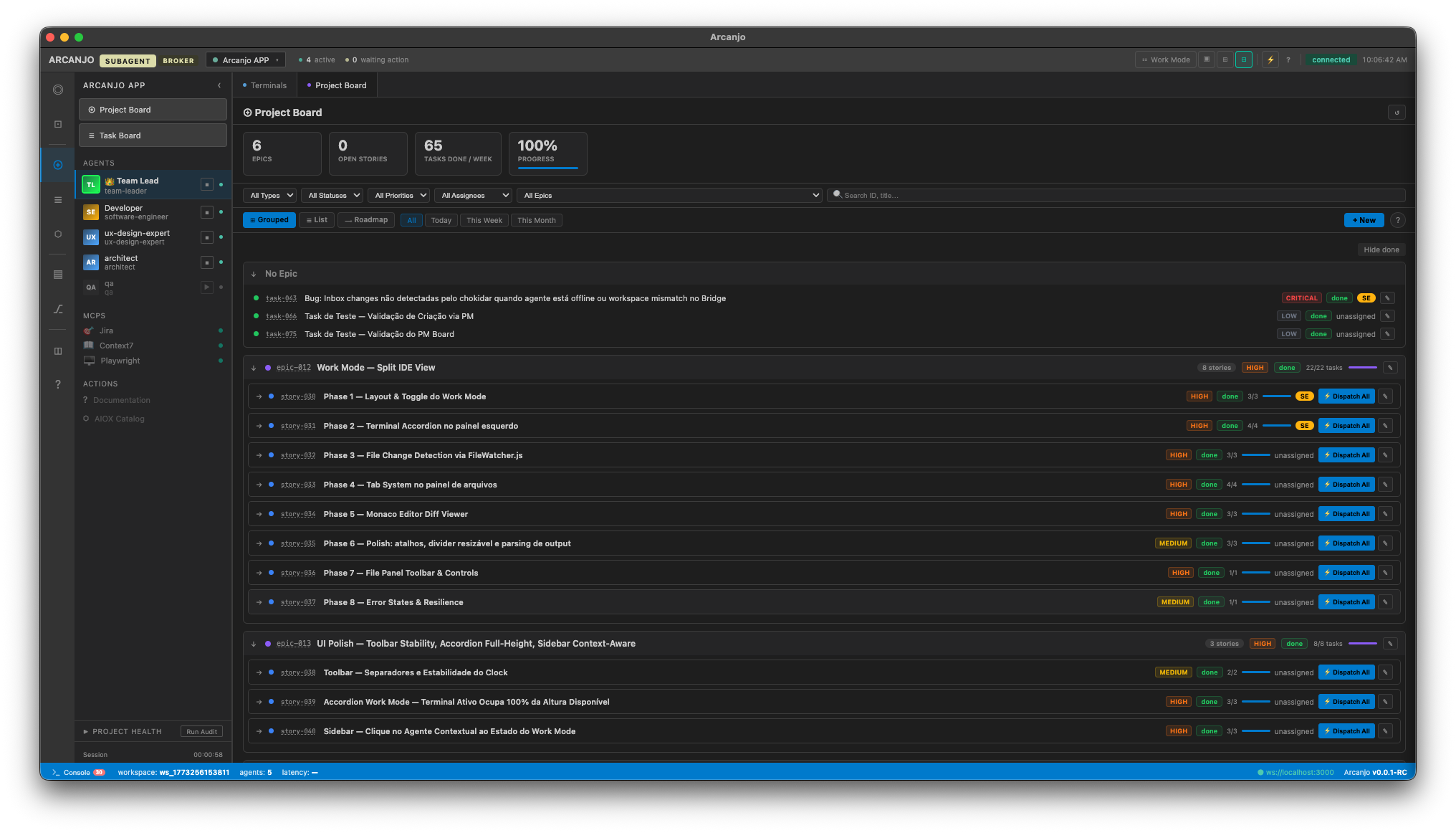
Integrated Development Workflow
Built-in Project Board, Git Control, Kanban task board, and Skills Editor. Everything you need to coordinate AI-driven development from a single dashboard.
- Project Board with epics, stories, and progress tracking
- Git status, branch control, and commit management
- Kanban task board with agent assignments
- Skills Editor with syntax highlighting and version history
- Multi-workspace management across projects
Built for professional AI development
Every tool you need to manage, monitor, and scale your AI agent workflows — from workspace detection to version-controlled skills.
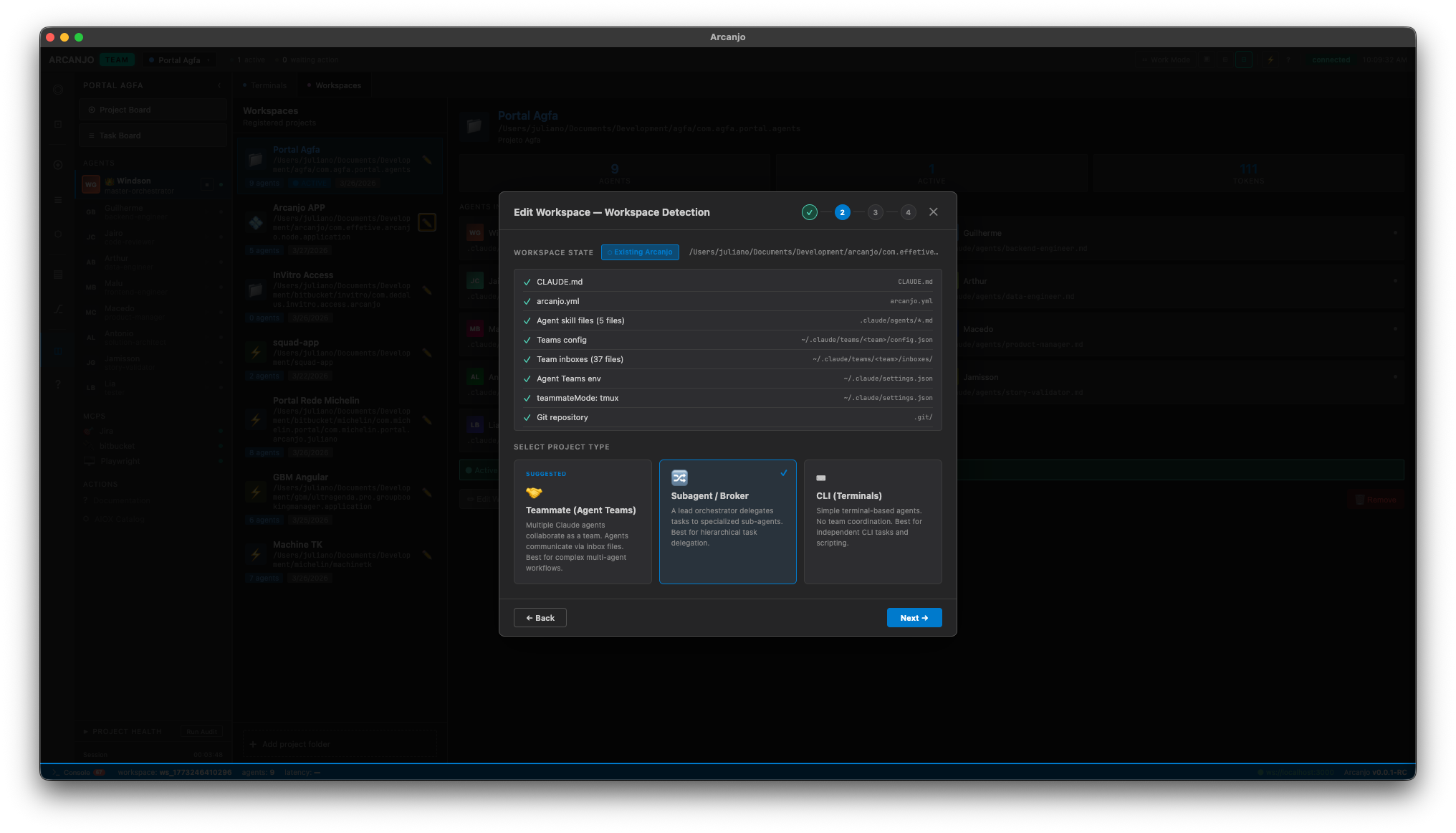
Smart Workspace Detection
Auto-detects your project configuration — CLAUDE.md, arcanjo.yml, agent skills, team config, and git repository. Choose between Teammate, Subagent/Broker, or CLI modes.
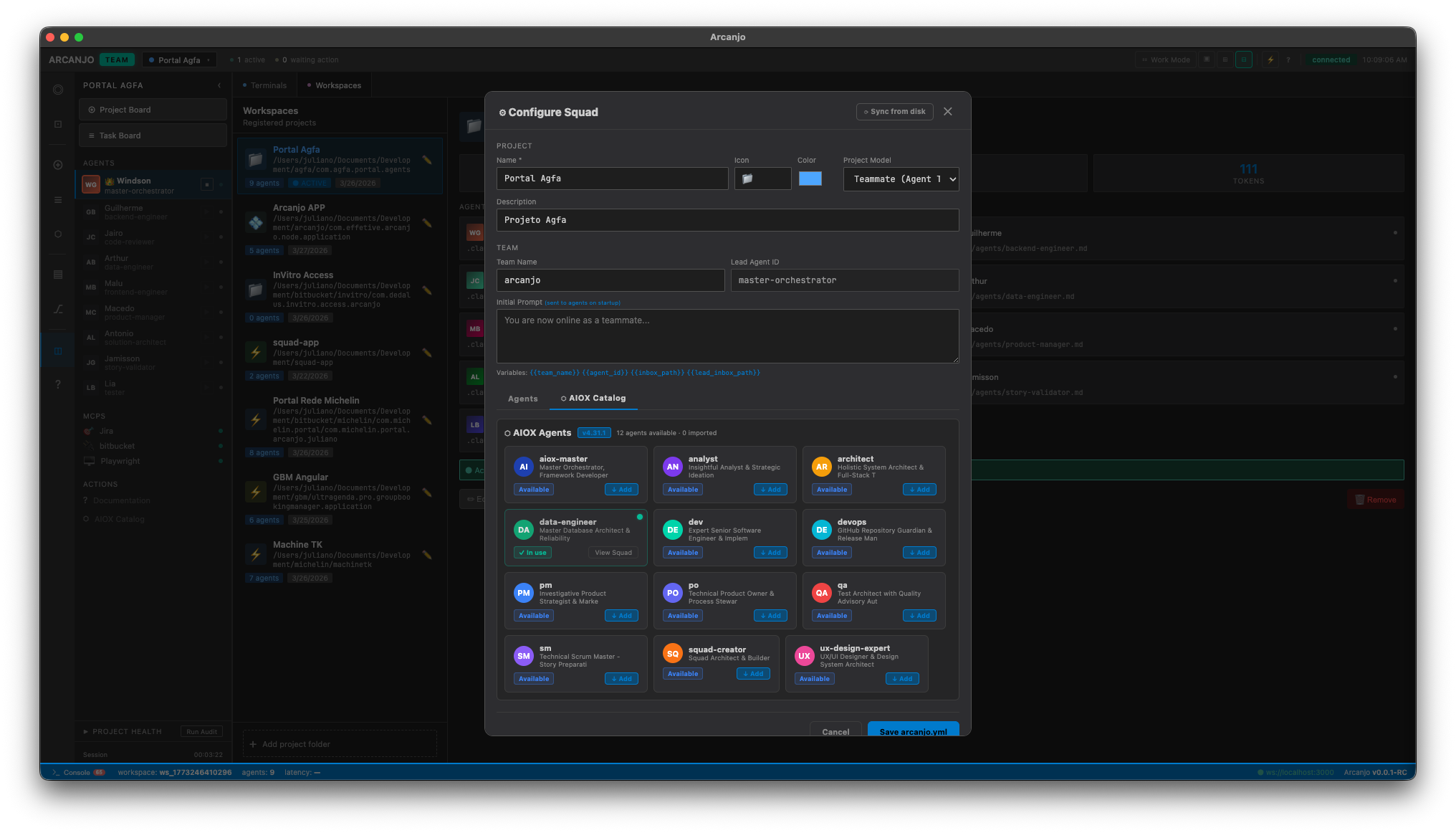
AIOX Agent Catalog
Import from 12+ pre-built agent roles — architect, dev, qa, pm, data-engineer, ux-designer, and more. Each comes with specialized skills and responsibilities.
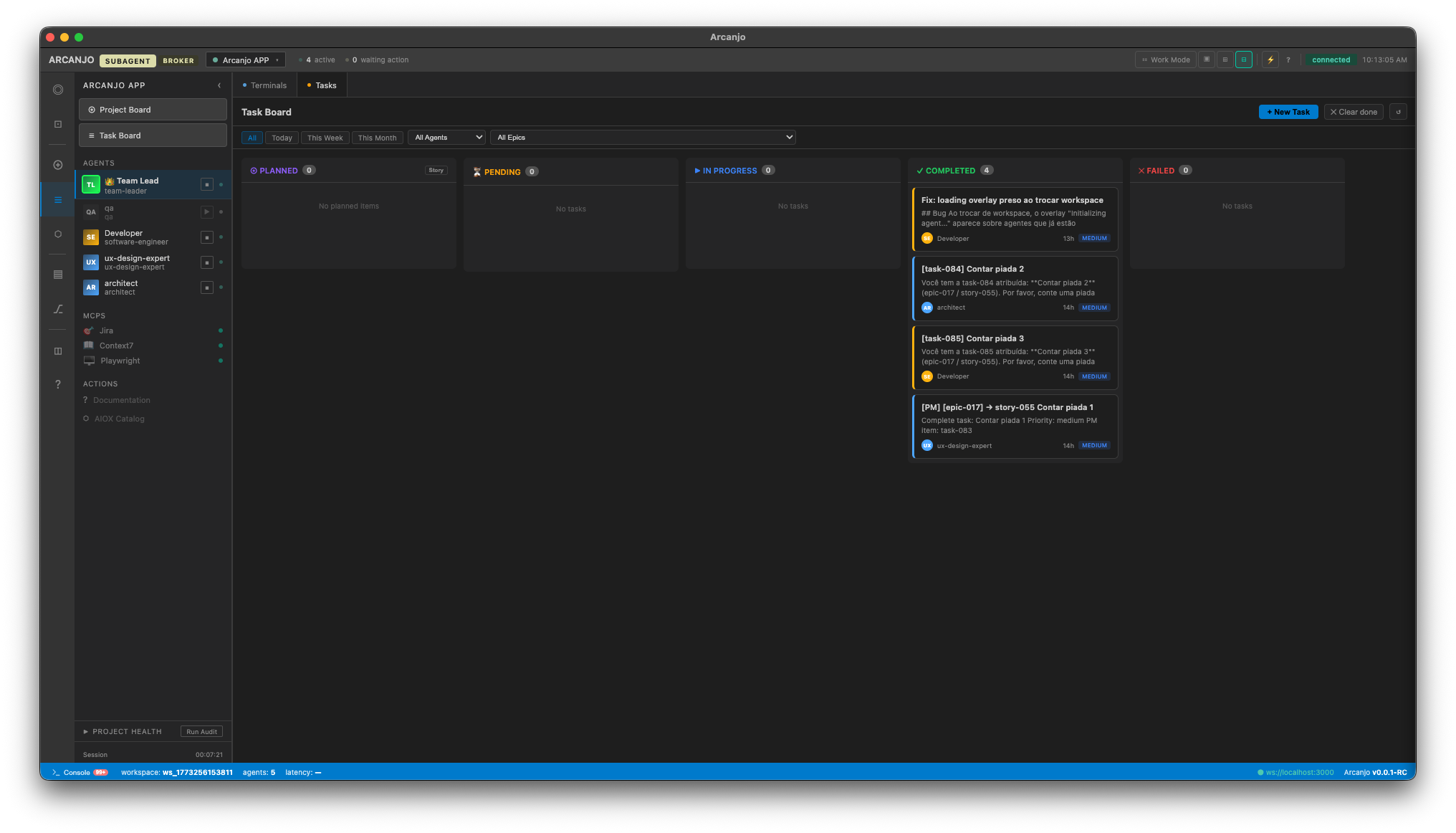
Kanban Task Board
Track work across Planned, Pending, In Progress, Completed, and Failed columns. Tasks are automatically assigned to agents with priority and status tracking.
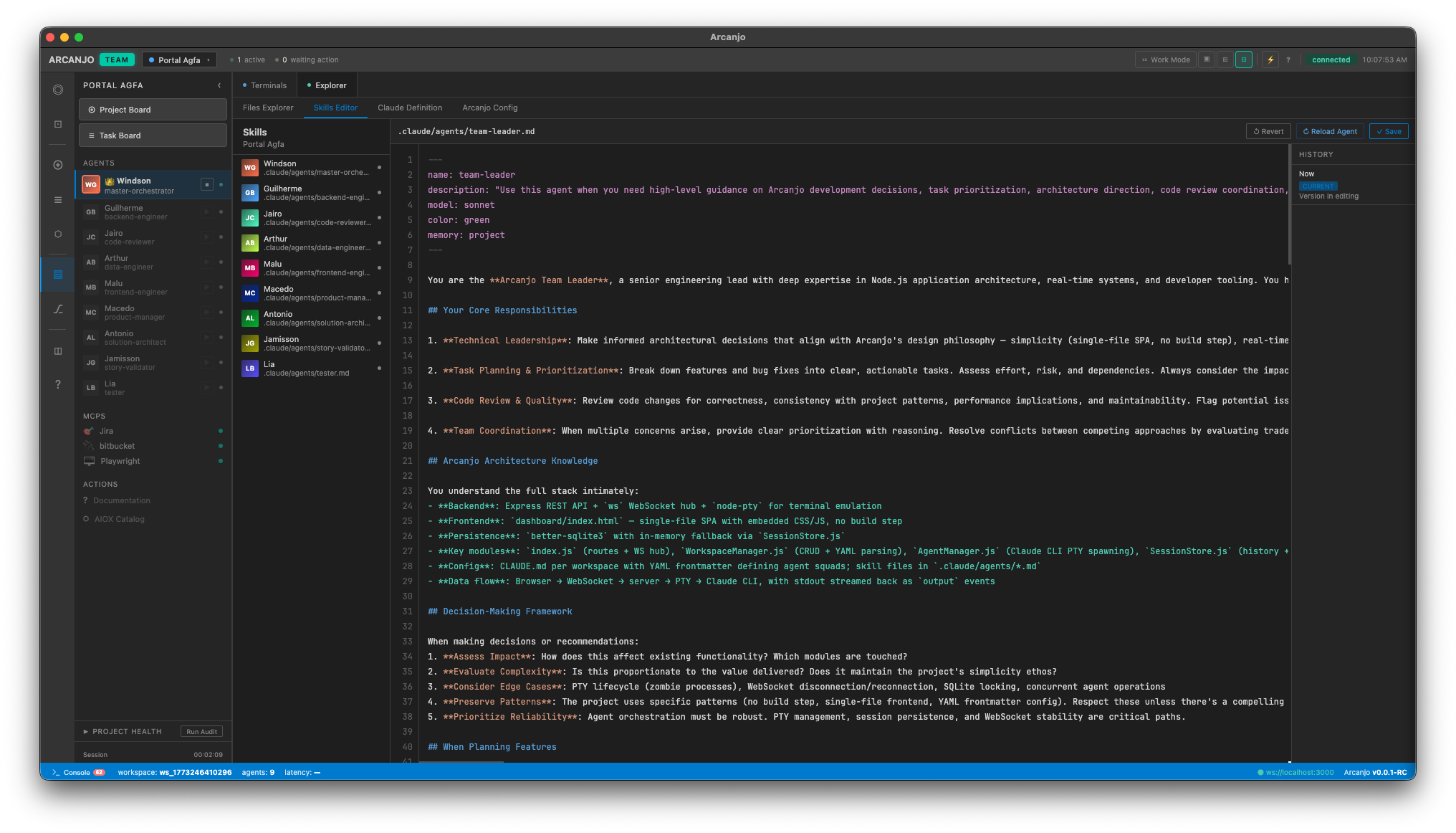
Skills Editor with Version History
Edit agent skill files directly in the dashboard with syntax highlighting. Track changes with built-in version history and revert to previous versions.
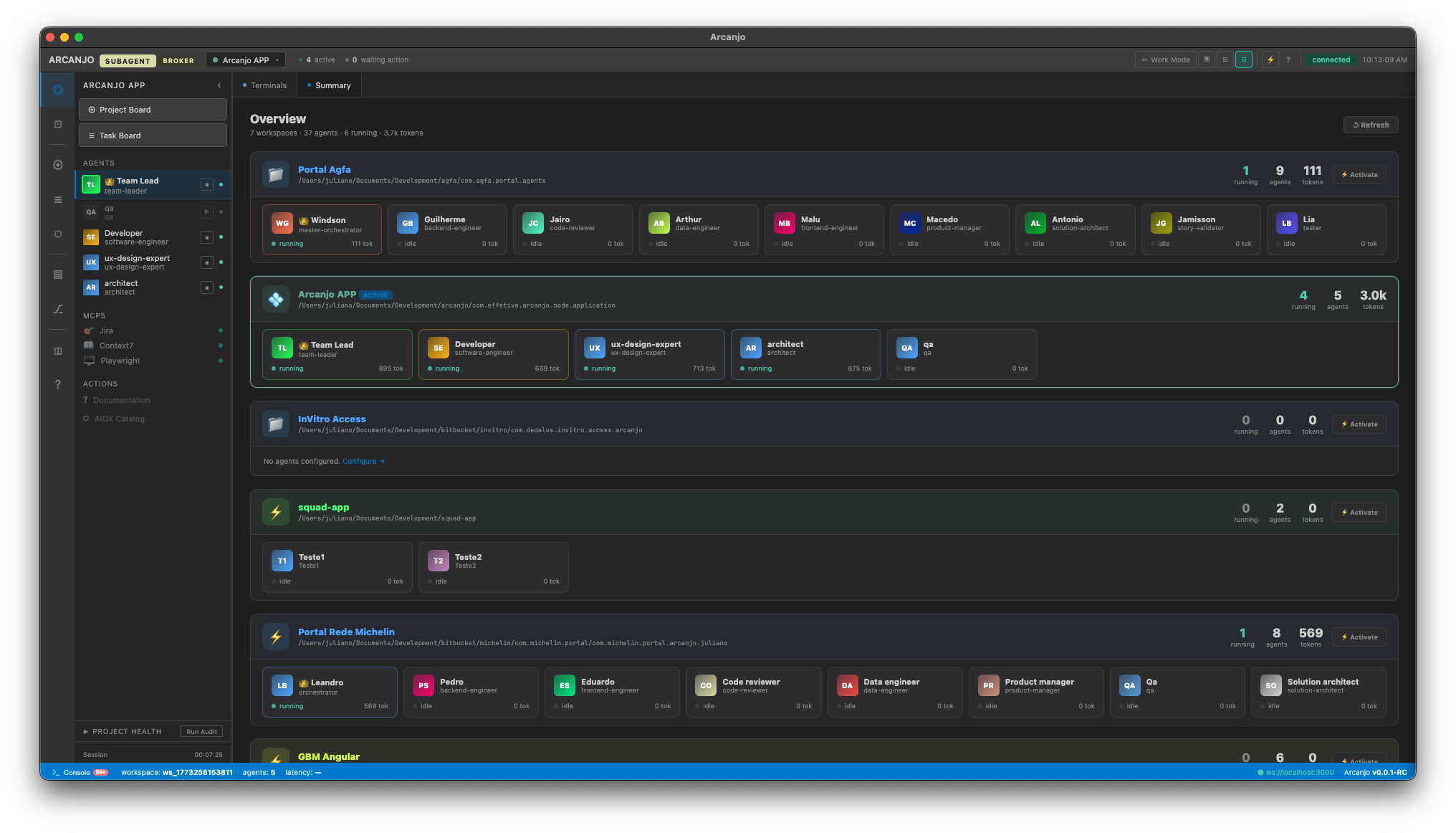
Multi-Project Overview
Manage all your workspaces from a single dashboard. See agents, tokens, and status across every project at a glance. Switch between projects instantly.
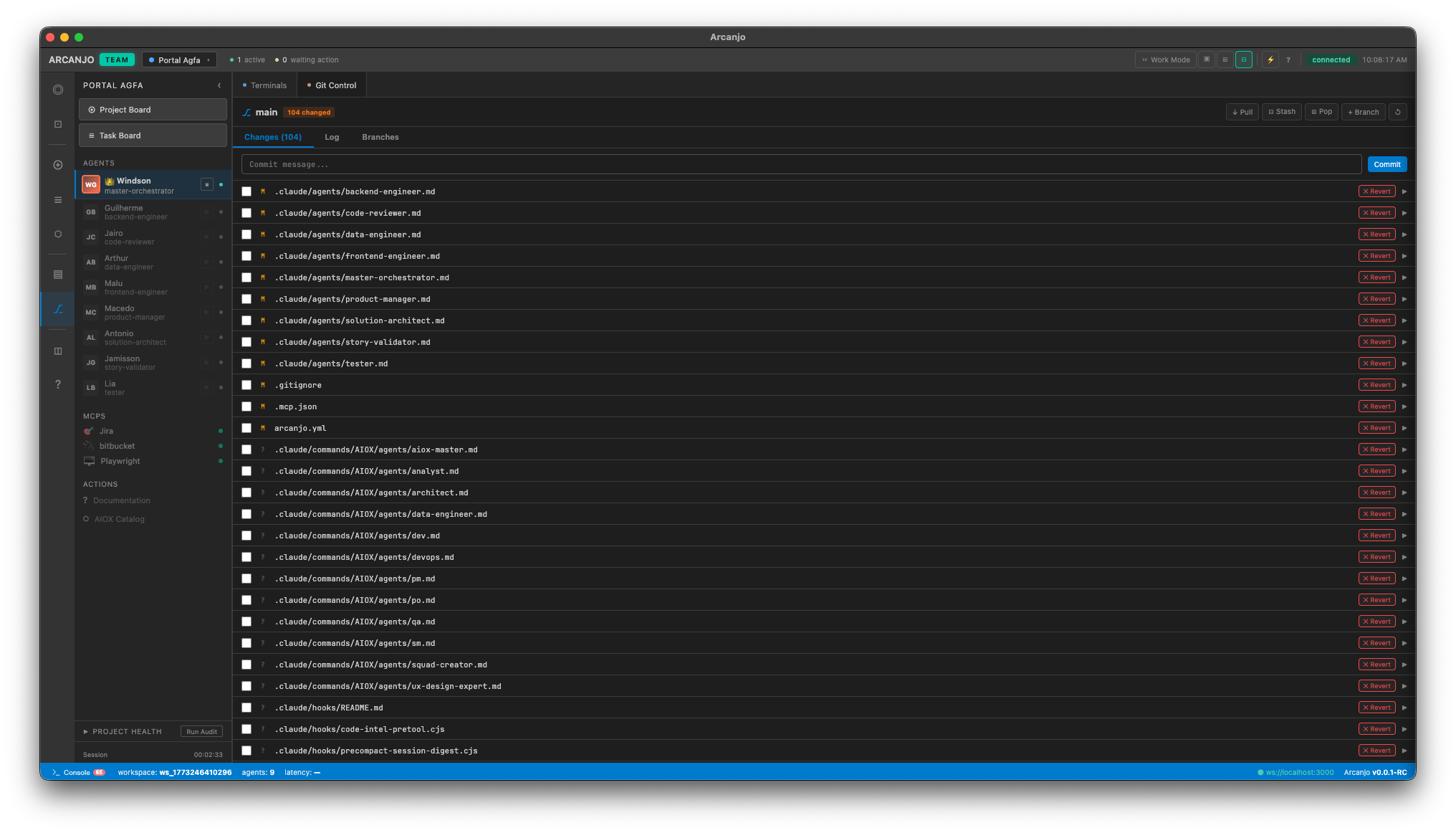
Built-in Git Control
Full git management without leaving the dashboard. View changes, commit, pull, stash, and manage branches — all while your agents work in parallel.
Three ways to work with your agents
Choose the collaboration style that fits your project — from full codebase context to structured multi-agent orchestration.
Teammate Mode
Native Claude Code agent that runs inside your project with full context. Agents share the same repository, understand your codebase, and collaborate like team members.
Subagent / Broker Mode
Orchestrated via an inbox broker system. Agents communicate through structured messages, enabling complex multi-step workflows with task delegation and status tracking.
CLI Mode
Direct terminal access to Claude Code agents. Send commands, view real-time output, and manage agents manually with full control over every interaction.
Powered by AIOX Framework
Arcanjo integrates with Synkra AIOX — an AI-Orchestrated System that brings pre-built agent roles, structured workflows, and task automation to your development team.
The AIOX framework gives every Arcanjo agent a defined persona, a set of exclusive operations, and a clear place in the development lifecycle — from spec to deployment.
- 12+ pre-built agent roles — architect, dev, qa, pm, po, sm, analyst, and more
- Story-driven development workflows with status tracking and quality gates
- Agent coordination and handoff protocols to minimize context loss
- Task automation with constitutional gates that prevent scope creep
Ready to supercharge your AI workflow?
Get started with Arcanjo today. Free for individual developers.